Disable Discounts for Products or Occupant Types
Last modified on:
Overview
Discounts may be applied to products or occupant types if the discounts flag is set for them.
Prerequisites
- Access to the navigation menu in the system.
- Permissions to modify product or occupant type settings.
Steps
To disable discounts for a product or occupant type, follow these steps:
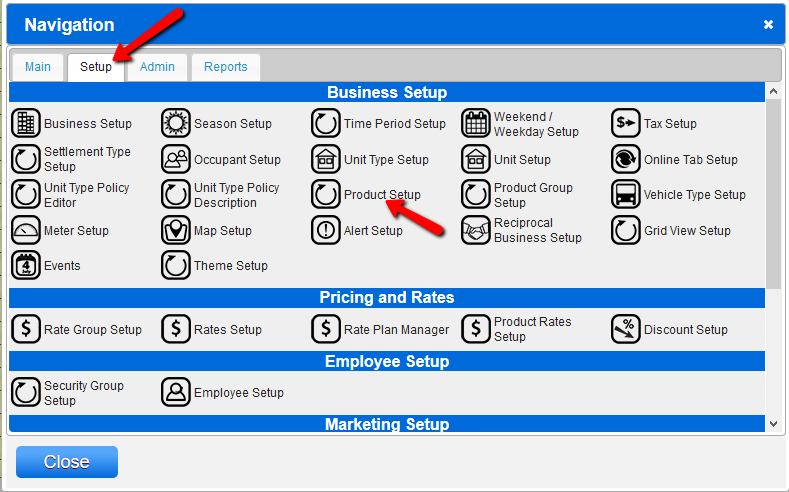
- Navigate to the Menu.
- Go to Setup and select Products and Services.
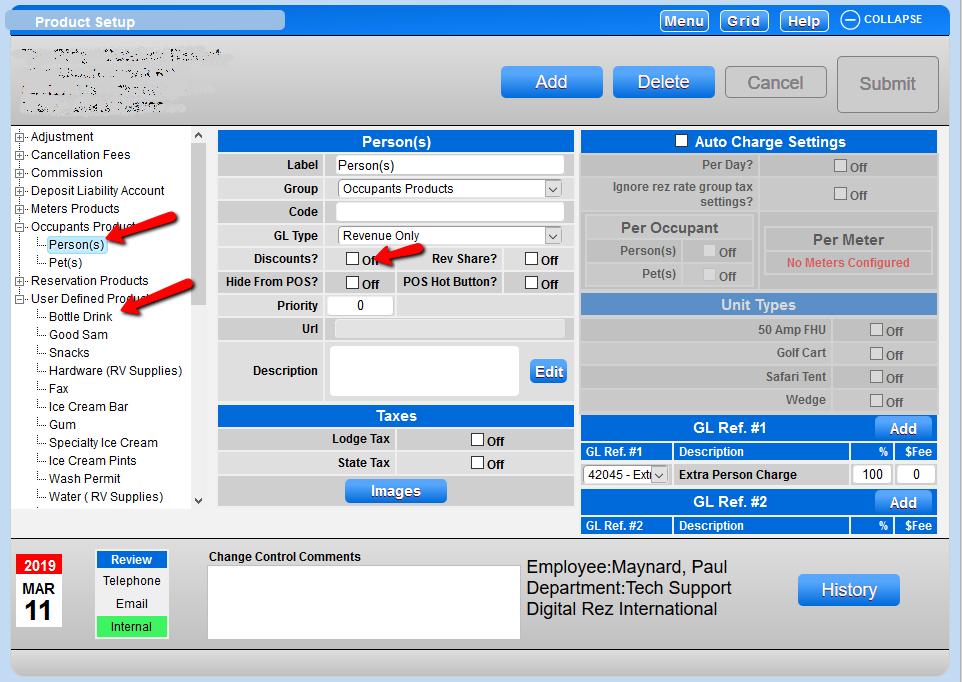
- On the left side, select the Occupant Type or Product Group label.
- Locate and select the label of the Product or Occupant type that is taking discounts into calculations.
- Deselect the Discount box.
- Add change control and submit your changes.
Troubleshooting
If you need further assistance, please call 888 777-0602 or email us at support@digitalrez.com.