Remove Client Token in RezExpert System
Last modified on:
Overview
This document provides a step-by-step guide on how to remove a token associated with a client within the RezExpert system.
Prerequisites
- Access to the client's Guestfolio in RezExpert.
Steps
- Navigate to Guestfolio
- Go to the client's Guestfolio. - Access Charges/Payments Tab
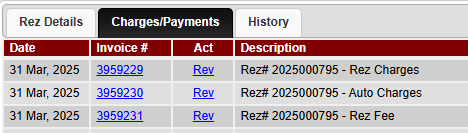
- Click on the Charges/Payments tab.
-
- Initiate Processor Payment
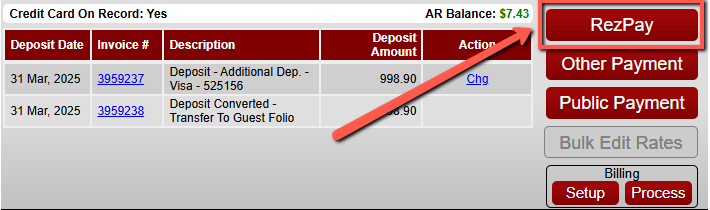
- Select the button for making a processor payment.
-
- Select Token
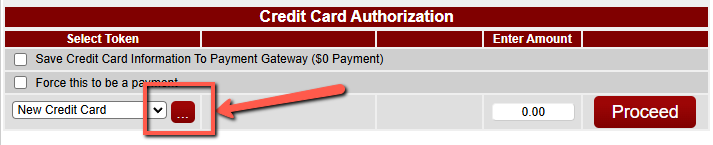
- Under Select Token, press the 3 dot button.
-
- Delete Token
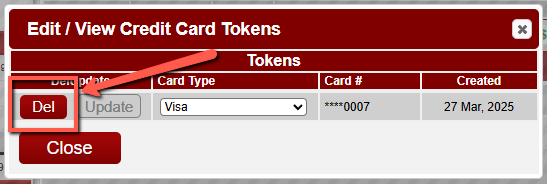
- Press the DEL button next to the token you intend to delete.
-
- Confirm Deletion
- Click Yes on the Confirm screen.
Troubleshooting
- If you encounter any issues, you can view the video below for further instruction:
- This video demonstrates how to remove a token associated to a client within RezExpert.